 JustThen
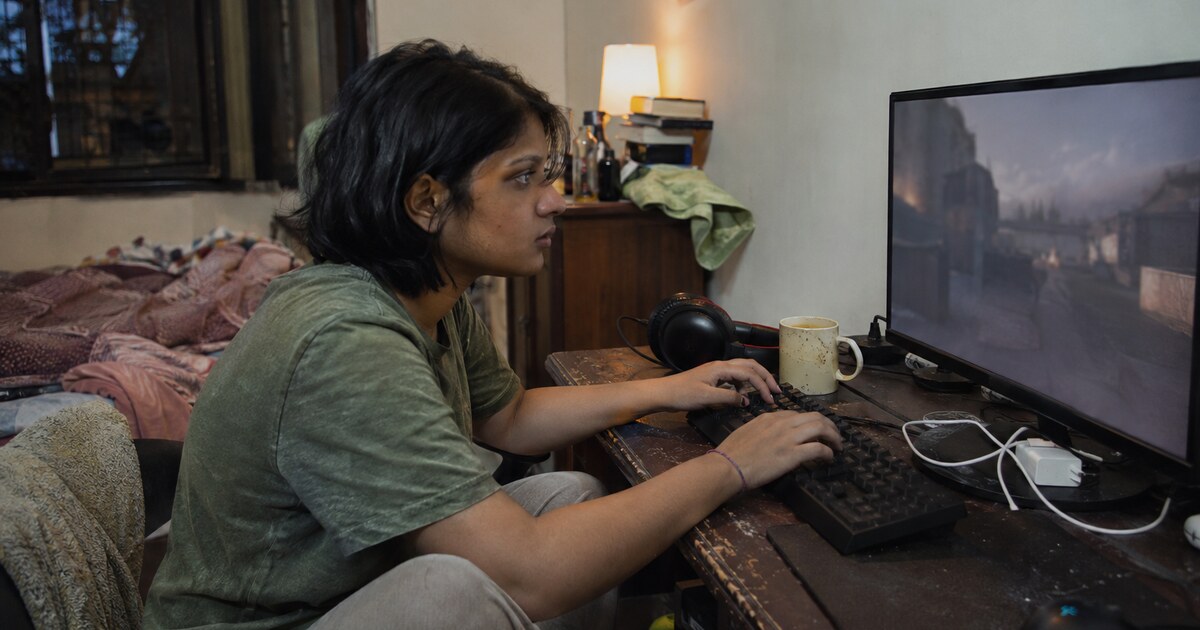
How do you text in Valorant on PC?
If you’re in a Valorant match and need to type, press Enter to open team chat, write your message, then press Enter again to send. Use Shift + Enter to open all chat, which includes opponents. Check the channel label before sending, especially after a private conversation.
Those are the main PC controls for how to text in Valorant. The useful next step is choosing who needs to see your message. A plan for the next round belongs in team chat. A friendly “gg” can go in all chat. An invitation to a friend belongs in a private message.
The controls at a glance
| You want to message | What to do on PC | Who receives it |
|---|---|---|
| Your team | Press Enter and check the Team label | Your side of the match |
| Both teams | Press Shift + Enter and check the All label | Teammates and opponents |
| Your premade group | Select the Party channel in chat | People in your party |
| One friend | Open a message from the friends panel | The selected friend |
Read the recipient label rather than relying on the colour of the text box. That small check helps when you have switched between channels.
How do you text your team in Valorant?
Press Enter during a PC match, check that the chat channel says Team, type your message and press Enter to send. Team chat is where you put information your opponents should not receive.
Keep match messages short enough to read at a glance. Someone holding an angle has little time for a paragraph about what happened two rounds ago.
Useful team messages include:
- “Saving this round.”
- “Can someone buy me a rifle?”
- “Two seen B. Spike not spotted.”
- “New to this map. I’ll follow your lead.”
Be precise about what you actually saw. “Two seen B” reports an observation. “Everyone B” makes a much bigger claim. If you have only seen two opponents, leave room for the others to be elsewhere.
A worked example you can copy
You have joined a match, your microphone is off, and you want your teammates to know you will still communicate.
- Wait until you are somewhere you can safely type.
- Press Enter.
- Check that the label says Team.
- Type: “No mic today. I’ll use pings and text. Saving this round.”
- Press Enter to send.
That message explains your situation and gives the team useful information. You do not need to explain why your microphone is off.
How do you text everyone in Valorant?
On PC, press Shift + Enter to open all chat, type your message, then press Enter to send. All chat includes the opposing team, so check that you are comfortable sharing the message with everyone in the match.
“All” means the players in that match. It does not broadcast your message to every Valorant player online.
Good uses are simple: “glhf” before play, “nice shot” after a good moment, or “gg” at the end. Keep buy plans, positions and rotations in team chat.
If you accidentally put a plan in all chat, stop typing extra details. Return to the Team channel and give your teammates a brief correction. A long explanation in public chat can reveal more than the original mistake.
How do you send a private message in Valorant?
For a private message to a friend, open Valorant’s friends panel, find the person, and use their message option. Confirm the recipient’s name before typing. Opening the conversation from the friends panel avoids guessing a chat command or entering the wrong name.
A whisper is a direct conversation with the selected person. It is different from Party chat, which is shared with your premade group, and Team chat, which includes teammates you may have just met.
A direct message does not make your identity anonymous. If privacy is your concern, distinguish private messaging from anonymous texting before sharing personal details.
For a straightforward invitation, you can send:
Good game earlier. Want to play another sometime? No worries if you’re done for today.
Send one invitation and leave room for an answer. Your friend may still be playing, away from their keyboard, or finished for the evening.
What is the difference between party and team chat?
Party chat reaches your premade group; team chat reaches your side of the match. If you queued with one friend, a party message is for that group. A team message also includes the other teammates matched with you.
Choose the Party channel through the chat interface and check its label before sending. Avoid assuming the last conversation you opened is still the active destination.
Use party chat for “one more game after this?” Use team chat for “saving this round.” The difference matters because your other teammates cannot act on a plan they never received.
Why can’t I text in Valorant?
If Valorant text chat is not working, first separate three problems: the chat box will not open, your message will not send, or someone else’s messages are missing. Each problem needs a different check.
The chat box will not open
Make sure Valorant is the active window, close any menu or overlay, then try Enter again. Check that your keyboard’s Enter key works elsewhere. If only the all-chat shortcut fails, check whether the Shift key works too.
The message goes to the wrong place
Look at the channel or recipient label. A previous whisper or party conversation may have left you addressing a different audience. Select the intended channel before writing another message.
Messages are missing
Check the relevant text-mute settings in the match menu. If you muted a player or enemy text, silence from that source does not necessarily mean chat is broken.
You have a communications restriction
Check for a restriction notice. Riot says a communications restriction prevents an account from using voice or text chat. Changing shortcuts will not remove that restriction. Riot’s communications restriction guide explains the penalties.
If there is no restriction and the problem continues across sessions, restart the client between matches and contact Riot Support. Include your platform, what you pressed, and whether the chat box opened. Never include your password.
Can you use these text controls on console?
The Enter and Shift + Enter instructions here are for Valorant on PC. Console communication options and input support differ, so do not assume that connecting a keyboard gives you the same chat controls.
For PlayStation or Xbox, check the communication options available in your current game and Riot’s console guide. Be cautious with tutorials that demonstrate PC shortcuts while claiming to cover every platform.
What should you text someone after a good game?
Start with the shared game and make a small, clear invitation. “Good game. Want to queue again?” gives the other person something easy to answer.
If you like the person, keep the first message grounded in the interaction you actually had. A good match gives you a reason to say hello; it does not tell you whether someone wants a personal conversation. If you are hesitating over whether to text your crush, one friendly message is enough to leave the choice with them.
Avoid repeated invitations, comments about someone’s voice or appearance, and demands for another contact method. If the reply stays about the game, keep the conversation there.
The short version
- On PC, press Enter for team chat and Shift + Enter for all chat, then Enter to send.
- Check the channel label: Team, All, Party and private messages reach different people.
- Keep tactical messages brief and private invitations easy to decline.
- If chat fails, check focus, recipients, mute settings and restriction notices before contacting support.
Dating that starts with a real conversation.
Match on personality, then talk however suits you — a message, a voice note, a sealed letter, or an anonymous Vibe Check call.
Get JustThen — free